With the exception of downloading the ActivClient
software below, you can use the notes page for a
successful CAC installation on your personal computer.
ActivClient is available through the
MCNOSC (Marine Corps Network Operations and Security Center)
website.
ActivClient
6.2
is now available and works with Windows 7,
Vista, & XP.
If you have 64 bit Windows 7 or Vista, make
sure you download the 64-bit ActivClient
NOTE:
You have to download the software from [an
already] CAC enabled computer, Save it to a CD to take to your computer.
You may want to try the LPS link below if you don't have access to a CAC
enabled computer.
Once you get to the MCNOSC
website, You will be prompted for
your CAC certificate & PIN immediately. Click: Downloads
(under Resources), PKI (under Available Content), CAC Reader Middleware
(right side of screen) You will
now see both versions of ActivClient to download.
If you are unsure
whether you have a 32 or 64 bit version, here is how to find out:
Vista & 7, Right click Computer,
select Properties. Under System, System type you see 32 or 64
bit.
XP, Right click
My Computer, select Properties. If it doesn't say 64 bit, you have a
32 bit Operating System.
If you
only want to use your CAC to logon to a CAC enabled sites
(and not use DTS), you may want to
consider using LPS
(Lightweight Portable Security)
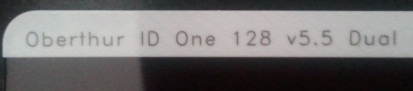
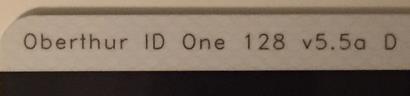
If you
have a PIV II compliant CAC (back shows: "Gemalto TOP DL GX4 144K" or
"Oberthur ID One 128 v5.5 Dual") and you are running Windows 7, you may
be able to use your CAC without any middleware.
You may
purchase ActivClient 6.2 (Works with Windows 7, Vista, & XP)
from
the following vendors: