MOST PEOPLE ARE ABLE TO USE THEIR CAC WITH WINDOWS 8 / 8.1 YOU CAN USE YOUR CAC WITH WINDOWS 10
|
||||||
|
Utilizing your CAC on Windows 8.1 "can" be as easy as... Installing the DoD Root certificates and making sure the Internet Options are set correctly.
To use DTS with Internet Explorer 11 on Windows 8.1, look here for instructions People who have updated from Windows 8 to 8.1 (who were previously using ActivClient 6.2.0.x) will need to uninstall it, restart computer to be able to use your CAC now.
Some interesting Windows 8 informational links NOTE: "Some" people who have the Windows 8 / 8.1 BASIC edition [shows only as Windows 8 / 8.1] are unable to get it to work [I'm hearing of a few more each day that some people are having luck. I have not figured why some work and some don't]. So, if it doesn't work for you, you have the following three solutions:
Windows RT [Windows 10 S mode, or anyone not wanting to install DISAs InstallRoot file] can follow this manual method of installing the DoD certificates, which are currently DOD CA-59 through DOD SW CA-77. Right Click this link AllCerts.p7b and select "Save Target As," save to your desktop. Right click the "AllCerts.p7b" file and select: "Install Certificate," Next, Next, Finish, OK. They will go to the correct Intermediate Certifications Authority tab in Internet Explorer, Internet Options. You also need this file: Right Click this link DoDRoot3-6.p7b and select "Save Target As," save to your desktop. Right click the "DoDRoot3-6.p7b" file and select: "Install Certificate," Next, "Place all certificates in the following store," then "Browse...", select "Trusted Root Certification Authorities," then OK, Next, Finish, OK. NOTE: You will be prompted with a Security Warning for each of the Root certificates you are adding. Select "Yes" NOTE1: If you receive the message "There is a problem with this website's security certificate." follow this guide NOTE2: Follow this guide to clear the certificates manually since you cannot run the Cross Cert Removal Tool (only written for regular Windows).
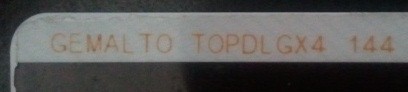
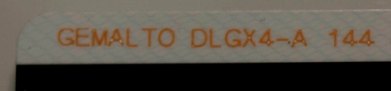
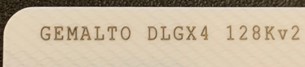
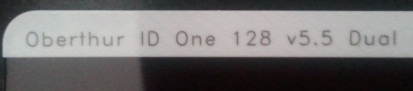
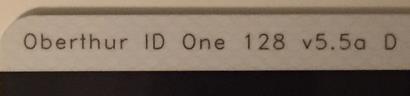
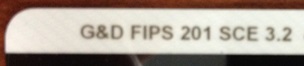
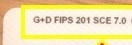
You need to have one of these seven CACs: "GEMALTO TOP DL GX4 144," "GEMALTO DLGX4-A 144," "GEMALTO DLGX4 128Kv2," "Oberthur ID One 128 v5.5 Dual," "Oberthur ID One v5.5a D," "G&D FIPS 201 SCE 3.2," or "G+D FIPS 201 SCE 7.0" (see examples below) to use your CAC without the need of ActivClient. Another guide to help figure out which CAC you have
Which CAC do I have video Read more about the older CACs and replacing them
|
||||||
If you have questions or suggestions for this site, contact Michael J. Danberry
Last Update or Review: Wednesday, 20 March 2024 17:39 hrs
The following domain
names all resolve to the same website: ChiefsCACSite.com,
CommonAccessCard.us, CommonAccessCard.info, & ChiefGeek.us
|