YOU CAN USE YOUR CAC WITH THE 64 BIT VERSION OF WINDOWS 7
|
|||
|
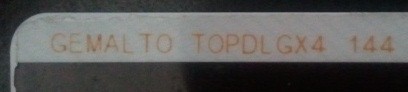
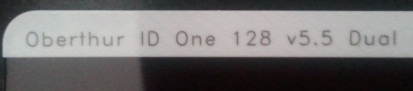
If you have a PIV II compliant CAC [back shows: "Gemalto TOP DL GX4 144" (see example) "Oberthur ID One 128 v5.5 Dual," or Oberthur ID One 5.2a" at the top above the magnetic strip] and you are running Windows 7, you may be able to use your CAC without the need of ActivClient.
The message below was from my personal install in December 2009 Here are a few tweaks you may want to use on your Windows 7 computer I purchased an ACER Aspire laptop from Best Buy for $350.00 with the 64 bit version of Windows 7 pre-installed, I used the Stanley Global model 111 CAC reader. 1. I first received the standard "There is a problem with the website's security certificate" message when accessing the AKO home page. I downloaded and followed the instructions for installing DoD certificates and the error went away. 2. I attempted to access AKO with my CAC without installing ActivClient because of an email I received previously that mentioned we didn't need the program, and received the You do not have permission to access this resource message. I downloaded the ActivClient for Vista 64 bit following the link from AKO, (Click on zip file titled: ActivClient 6_1 for CAC x64 BN39 (31631.13 K zip file) save to your desktop, then follow the instructions below). Once downloaded, Right click the .zip file you just downloaded, Select Extract All, Next, It will now prompt you where to extract it. The default choice will be the same folder you downloaded it at. Select Next, (it will now extract your files into a new folder). From inside the newly opened folder, Double click Start, Run, Install, Install / Upgrade Now, [The User Account Control will prompt you (hit the Yes button). You should not see the Microsoft Visual C++ 2005 Redistributable being installed. It may also "hang" for up to a few moments at this point]. The program screen will now return to the same one you seen before, where it wants you to hit Next, Select "I accept the terms...", Next, choose Typical, Next (on setup type), Install, (It might prompt you to close some of your open programs). Uncheck the Show the readme file box (unless you want to read it). Hit Finish. NOTE: You may receive: "Error 1722, There is a problem with the Windows Installer package. A program run as part of the setup did not finish as suspected. Contact your Support personnel or package vendor." Select OK 2a. When I went to test my CAC logon to AKO with this new computer, I was presented with a different looking window to confirm my certificate. I merely selected OK 3. I downloaded and installed Lotus Forms and ApproveIt and was able to digitally sign a form with no problems. If you are unsure how to digitally sign a form, please look here for a short instruction. 4. I went to the DTS website and downloaded the required DBSign software, followed the installation instructions and can now logon to DTS from my 64 bit Windows 7 computer. |
|||
If you have questions or suggestions for this site, contact Michael J. DanberryAre you interested in subscribing to the CACnews email list?
Last Update or Review: Sunday, 15 February 2015 11:49 hrs
The following domain
names all resolve to the same website: ChiefsCACSite.com,
CommonAccessCard.us, CommonAccessCard.info, & ChiefGeek.us
|