|
New
Information regarding AKO CAC only
I receive emails every week asking how
to set up CAC use on an iPad, iPhone, or Android device. With
the
Army
CIO/G6's directive which was to be effective on 1 December 2011, the ability to check AKO
email via IMAP
was to have DISAPPEARED.
NOTICE:
As you may have noticed, 1 December has now come and
gone, and username / password option is still available on AKO. The
implementation date has been pushed back. An unofficial date I have
found is now set for 1 February 2012. So, this will give you some more time to
check our AKO email via our mobile device.
Those of us who currently
are very productive by using our phones to check our email will be set back
or spend between $200.00 - $495.00 for a
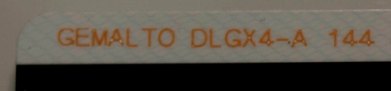
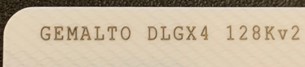
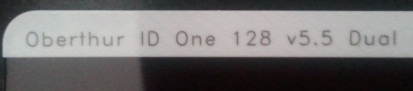
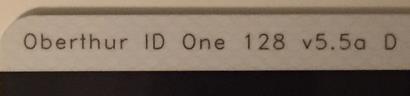
Bluetooth CAC reader (see below).
If you set up regular AKO IMAP on your phone now, please
know the ability may diminish sometime around 1 February 2012.
Therefore, this page may change in the near future.
I recommend you sign up for the Free Change Detection service at the top of
this page to be automatically notified when new information is posted here
on this page.
I will post information regarding these growing questions here on this page
as soon as I get them.
You can purchase a
Bluetooth CAC reader:
Android (approx. $289.00
+ $57.80 (per year)),
iPhone (approx. $289.00 + $49.20 + $57.80 (per year), or
Windows Mobile (approx. $220.00), but please know you will still need another
program like
Good. Good only authenticates you to email, it does NOT
have the ability to authenticate to any websites (like OWA or AKO).
Even though you can purchase the hardware above, the middleware software is
still in development to be able to use the reader with your mobile device.
Except for what you read below.
Latest
news from BaiMobile and DISA approval of Android and Good
The iPhone and iPad will see CAC ability sooner than Android. See this
article from Thursby software about their
PKard for IOS software soon to be available for iPhones and iPads.
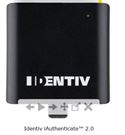
Another CAC reader for
the
Apple i Products (coming soon)
Outlook
Web App Mini will soon be available to view OWA on a smaller screen.
With this ability and information about PKard for iOS, this will allow OWA
users to check their email on their iPhone and iPad devices.
Information
from Army CIO / G6 regarding tablets (their definition of tablets is
Microsoft Windows, NOT iPad or Android devices)
Part
of the reason why it is taking so long to get CAC ability on your mobile
device
can be read here in this
email message from the Army Enterprise DAA (Designated Approving Authority) Daniel Q.
Bradford
You are able to
physically check
your AKO email on your mobile phone. However, according to
AR 25-2, paragraph 4-29(f) it states: "Employee owned Personal
Electronic Devices are prohibited for use in official communications or
connections to Army networks." When you look at the
Army password standards Para 5B(9)&(10) it states
as long as you DO NOT USE the "Remember Password" feature
you are fine.
I guess what I'm trying to say is the capability is there, how you
interpret the regulation is up to you.
  
NOTE: Windows mobile,
Android, & iPhone
users try the wizard first, as it will set it up automatically for you.
What's
the difference between IMAP and POP?
NOTE: Once you use the automatic setup, go in and verify that the mail
servers match what you see below:
Regular AKO Email:
Choose IMAP for the server type
The incoming mail server is: imap.us.army.mil
The outgoing mail server is: smtp.us.army.mil
Do not use secure password connections (SPA)
The incoming port number is: 993 (you
may not be able to select this)
The outgoing port number is: 465 (you may
not be able to select this)
For both incoming and outgoing mail server, use SSL
(Secure Sockets Layer)
Visual steps to
configure your EVO / Droid
Visual steps to
configure your Incredible
Advanced Technologies Beta mail: IMAP
Settings (Visual
Steps)
Choose IMAP for the server type
Both the incoming & outgoing mail servers are:
mail.beta.army.mil (Exchange 2010 users)
The incoming port number is: 993 (you
may not be able to select this)
The outgoing port number is: 465 (you may
not be able to select this)
For both incoming and outgoing mail server, use SSL
(Secure Sockets Layer)
Advanced Technologies mail (aka "Beta mail):"
Microsoft ActivSync Settings
This is the best way to use it IF your phone has the
capability because it uses Microsoft Exchange 2010
Visit the
Advanced Technologies website for mobile settings (Even though it says
Apple, it gives you all of the settings you will need to set up whichever
phone you are using).
Visit the
Advanced Technologies website for desktop settings
Visual steps to
configure your iPad for regular AKO email
Setup the DoD411
Global Address List on your iPhone

BlackBerry
NOTE: One person
emailed me and let me know that his new BlackBerry with OS v6.0 has an
automatic configuration for IMAP (Like the Android, Apple, and Windows
phones have had all along)
1. A Third party app is required (for older OS') to
be able to access
your AKO email utilizing your BlackBerry.
2. Visit this link from your BlackBerry
http://logicmail.org/ota
to download LogicMail for your version of BlackBerry.
3. LogicProbe's instructions can be found at:
http://www.logicmail.org/wiki/setup20 (version
2.0)
3a.
Chief Danberry's (more specific) instructions can be found
here
(this is for BlackBerry version 1.1)
4. Once you get the LogicMail installed on your
BlackBerry, you will use the email IMAP settings above for whichever version
of AKO email you are on.
NOTE: Some BlackBerry's do not
work correctly, so, you may need a software update.
Read what helped SSG
Maddox
What's the difference between IMAP and POP?
| POP |
IMAP |
| Post
Office Protocol |
Internet
Messaging Access Protocol |
| Best if you
use only one computer to check email, your sent items are only on
the computer you replied from |
Best if you
use many different devices to check your email including computers
and mobile phones |
| Downloads
your inbox only to the particular computer you are checking it on |
You are
able to see all of your email folders, same as in your AKO webmail.
This is because the email is always on the server. |
| Allows you
to keep all of your email messages, only limited by the size of your
computer. |
You are
only limited by your mailbox size quota for how many messages you
keep, although you can archive old messages and save them to your
computer manually. |
| New
messages are downloaded in their entirety, you have to wait for the
message to download. |
New message
headers are downloaded so you see all your mail faster, the message
you want to read is not downloaded to your computer until you click
on it. |
|