Mac VIDEOS PAGE
Visit Windows video page
Setting up Firefox using CACKey (only for Mac's prior to Mac OS Catalina (10.15))
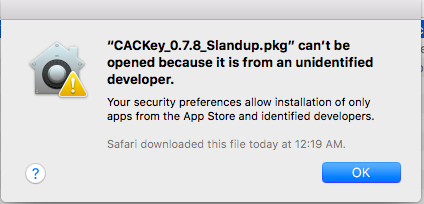
NOTE continued: Hold the control key [on your keyboard] when clicking the .pkg file [with your mouse], select [the word] Open
M***DO NOT install CACkey if running Mac OS Catalina***
If you want to use Firefox, here is the specific location mentioned in the video above. (If you only use Safari or Chrome, you can skip this step).
Navigate to your hard drive / Library / CACKey / libcackey_g.dylib
Updating the firmware on an SCR-331 CAC reader using TENS / LPS on your Mac How to create a bootable CD from the .iso file?
Videos created by the ITRC of the US Air Force Judge Advocate General: |
|||||||||||||||||||||||||||||||||||||||
If you have questions or suggestions for this site, contact Michael J. DanberryDisclaimer
Last Update or Review: Sunday, 03 April 2022 12:59 hrs
The following domain
names all resolve to the same website: ChiefsCACSite.com,
CommonAccessCard.us, CommonAccessCard.info, & ChiefGeek.us
|