ASSISTANCE FOR APPLE USERS |
|||||||||||||||||||||||||||||||||||||||||||||||||||
|
If you are a Chromebook user, go to this page to ask your question
If you just upgraded to 10.15.4 or .5 and lost CAC access (but had it in 10.15.3), please follow these last two items on this page.
MOST of the questions received can be corrected / answered by you trying these ideas first:
1. Please relook at the Mac CAC Install page for instructions on how to install what is needed to use your CAC on your Mac.
2. If you have already installed the needed program (based on the link in #1 above) or are having problems accessing websites you have successfully accessed previously, follow this page to learn how to clear the login section of your keychain. . 3. If you have an SCR-331 CAC reader, you may need to update the firmware to be able to use this older reader on your Mac. There is no guarantee it will work, it is an option to try before purchasing a new reader.
4. If you have the SCR-3500A USB CAC reader, and trying to use it on 10.11.x (or above), you will need an updated driver, and may have to disable SIP
4a. If you have the ACR-3801, 38, 38U, or 39 CAC reader, you may need to update the driver.
6. Follow instructions for loading the DoD certificates into your keychain.
7. If you purchased and installed PKard on an older Mac (prior to Mac OS Catalina) and are having problems, contact Thursby for support
8. If you purchased and installed Charismathics Smart Security Interface (CSSI) on an older Mac (prior to Mac OS Catalina) and are having problems, contact Charismathics for support
9. If you have recently updated to the newest Mac OS from a previous version (PRIOR to Mac OS Catalina) [and you were successfully using your CAC prior to the update], uninstall your CAC enabling program[s], restart computer, then look at the CAC enablers page to see which CAC enablers are compatible with your new version of Mac OS. Also follow #2 above . 9a. If you've just updated your Mac OS and your SCR 331, 3310, 3310v2, or 3500 model reader has stopped working, you may need to update the driver from Identiv's website: http://files.identiv.com/products/smart-card-readers/common-drivers/uTrust_MAC_Driver.zip . Hold the control key [on your keyboard] when clicking the .pkg file [with your mouse], select [the word] Open
10. You receive "Error Code: 500 Internal Server Error. The server denied the specified Uniform Resource Locator (URL). Contact the server administrator. (12202)." Or your system worked recently, but has since stopped working for webmail / OWA, try these ideas: 10-1. Make sure you select your PIV Authentication certificate. IF you have selected the wrong certificate, you need to clear your keychain. 10-2. Close all open browsers, reopen one and try accessing the site again. 10-3. Clear your keychain, uninstall all CAC enabling programs, restart computer, reinstall one CAC enabling program, restart computer and try again. You may want to try a different CAC enabling program. 10-4. Follow #6 above . 11. If you are having problems logging onto all CAC websites (PRIOR to Mac OS Catalina) [and you can see your name between the words: keychain and login in Keychain access] you may have blocked your CAC. Only PKard and Centrify will let you verify a blocked CAC on a Mac, otherwise, you'll need a Windows computer (or virtual Windows) via ActivClient (or built in Smart Card program) to see if your CAC is blocked. If your CAC is blocked, your only option is to visit an ID card office to get the card unblocked.
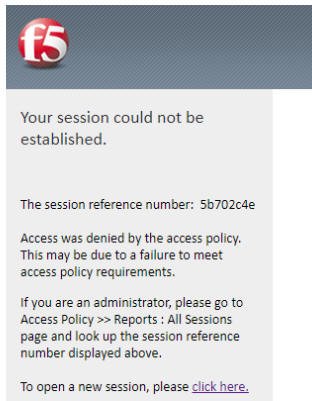
12. If you see "f5, Your session could not be established"
when logging into your Enterprise Email, clear your keychain and try again. You can also "Remove All Website Data" found under Safari, Preferences, Privacy. If that does not work, try again later. Remember to select your Authentication certificate. . 13. If you want to open / work on an NCOER (or any other PDF-F files) you need to have Adobe Reader installed on your Mac and have made it your default PDF viewer. By default your Mac uses Viewer to open PDFs, which will not allow digital signing. You'll need to save the PDF-F to your computer, then open it.
14.
If you are having problems accessing CAC enabled websites,
Kaspersky
users
-
. McAfee Safe Family Parental Control program has restricted use for some people. He uninstalled it, and access was gained to CAC enabled sites.
. 15. If you have recently purchased an SCR-3500 reader and it has a Part number of 905430-1 (sometimes shows as SCR-3500A) install this updated driver. Hold the control key [on your keyboard] when clicking the .pkg file [with your mouse], select [the word] Open . 16. Some of the same "bad certs" that have caused problems for Windows users also show up in the keychain access section on Macs.
Note: The DoD Root CA 2 you are removing has the light blue background, leave the yellowish one
If you see the listed certificates above, delete them, Once these certificates are deleted, close keychain. Instructions can be read on the Keychain page
17. If you have encountered any CAC enabled websites that have been working, recently stop working, please try adjusting your DNS. Some people are receiving an error message similar to this: "The DNS server might be having problems. Error Code: INET_E_RESOURCE_NOT_FOUND"
- Follow guidance here to change your DNS server. .  18. Some websites that were once accessible from
any CAC enabled computer are no longer. This means the below websites are now
only accessible from the
NIPRnet. 18. Some websites that were once accessible from
any CAC enabled computer are no longer. This means the below websites are now
only accessible from the
NIPRnet.-Army Training Requirements and Resource System (ATRRS) https://atrrs.army.mil -Assignment Satisfaction Key (ASK) https://www.ask.army.mil/ask -Global Command Support System-Army(GCSS-Army) https://www.gcss-army.army.mil -Government Fund Enterprise Business Systems(GFEBS) https://gfebs.army.mil/irk/portal  -Health.mil
web based email (a possible solution is to use this site:
https://avhe.health.mil/), Instructions for this process can be
viewed here:
https://thewesslers.com/avhe/ download Citrix App Space from
https://citrix.com/download once logged in, select Apps (in top
row), type:
webmail
in the search box, then select WebMail - Edge,
it'll download a .ica file, once it runs, it takes a few
minutes of stuff happening. Be patient as it slowly brings up
your mail. -Health.mil
web based email (a possible solution is to use this site:
https://avhe.health.mil/), Instructions for this process can be
viewed here:
https://thewesslers.com/avhe/ download Citrix App Space from
https://citrix.com/download once logged in, select Apps (in top
row), type:
webmail
in the search box, then select WebMail - Edge,
it'll download a .ica file, once it runs, it takes a few
minutes of stuff happening. Be patient as it slowly brings up
your mail.-Installation Status Report https://isr.army.mil -Judge Advocate General Corps Network (JAGCNet) CAC Login https://www.jagcnet.army.mil/Sites/JAGC.nsf -Tour of Duty (MOBCOP) https://mobcop.aoc.army.pentagon.mil -Enlisted Record Brief (My ERB) https://myerb.ahrs.army.mil/soldierLogin.do -Reserve Component Manpower System (RCMS) which includes access to: Commander's Strength Management System (CSMM), Electronic Soldier Record Brief (eSRB), Electronic Personnel Actions Tracker (ePAT), & Directors Personnel Readiness Overview (DPRO), and -Strategic Management System This means no CAC access from a home computer. You'll now need to access these sites from your unit, use your organizations Citrix connection (Army Reserve), or unit issued computer and use VPN
1. Open Safari 2. Click Safari menu, Preferences option, Advanced tab, and check the "Show Develop menu in menu bar", close Preferences 3. Click the Development menu in Safari's menu bar, navigate to "User Agent" and select "Microsoft Edge" 4. Navigate to your particular Office 365 web mail links: https://o365.usmc.mil https://webmail.cloud.navy.mil https://usaf-my.dps.mil
. If you are a Windows user (or using Windows in a Virtual Machine or Bootcamp), go here for support. (Please do NOT use the form below for Windows questions).
Please provide the correct information asked in the form below. The intent is to reply to you with correct ideas for you to try. We may offer incorrect ideas to fix your issue if you provide incorrect information below.
PLEASE COMPLETE THIS FORM FOR Mac SUPPORT ONLY Windows Users go here Chrome Users go here Linux Users go here
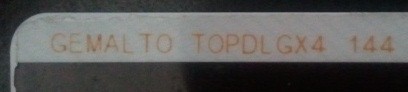
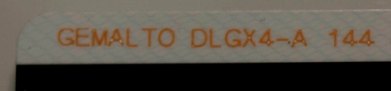
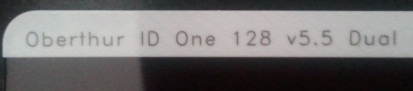
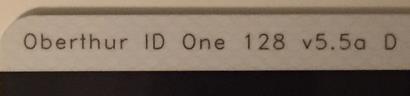
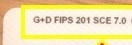
The current CAC Types are... (Look at the back of your ID card top left corner for any of these. If you have any other version, you need to visit an ID card office and get it replaced. All CACs other than these four were "supposed" to be replaced by 1 October 2012). A guide to help figure out which CAC you have
Which CAC do I have video Read more about the older CACs and replacing them
Contact us the following ways:
|
|||||||||||||||||||||||||||||||||||||||||||||||||||
If you have questions or suggestions for this site, contact Michael J. DanberryDisclaimer
Last Update or Review: Wednesday, 19 June 2024 18:36 hrs
The following domain names all resolve to the same website: ChiefsCACSite.com, CommonAccessCard.us, CommonAccessCard.info, & ChiefGeek.us |